About the program
Mobile Phone Repair & Maintenance
Welcome to the Mobile Phone Repair study program. This page introduces the knowledge, practical skills and professional habits students need to diagnose and repair modern smartphones.
- Modules done
- 4/7
- Tools
- 6
- Repair steps
- 8

ទីធ្លាសាលារៀន
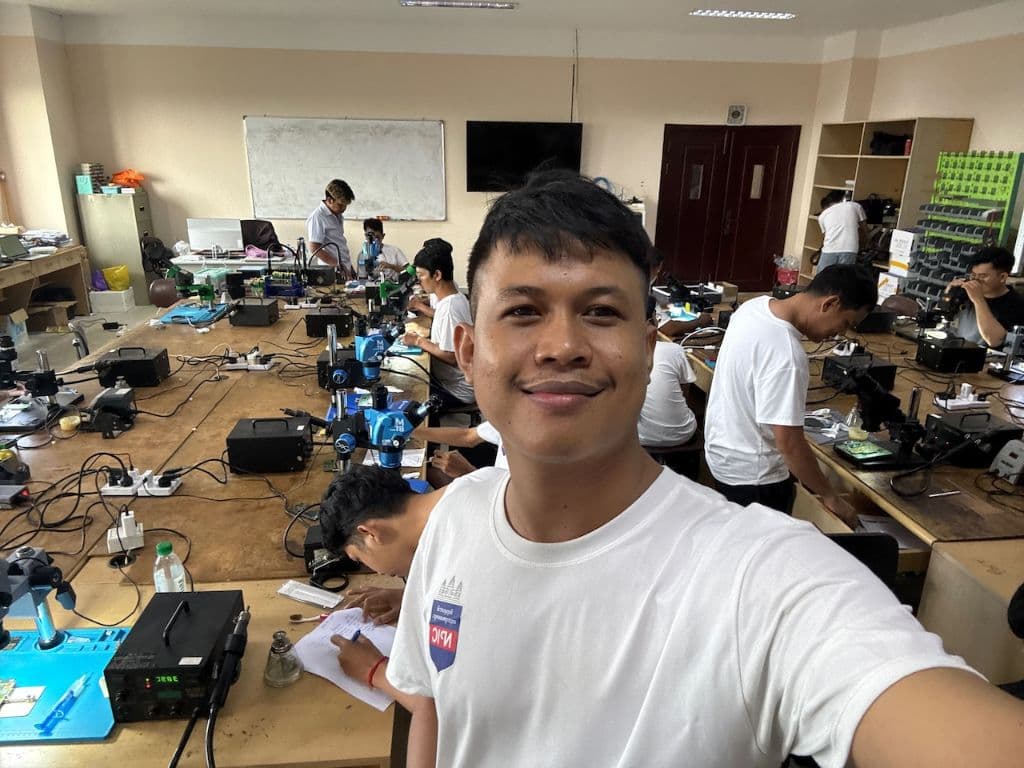
ក្នុងថ្នាក់រៀន
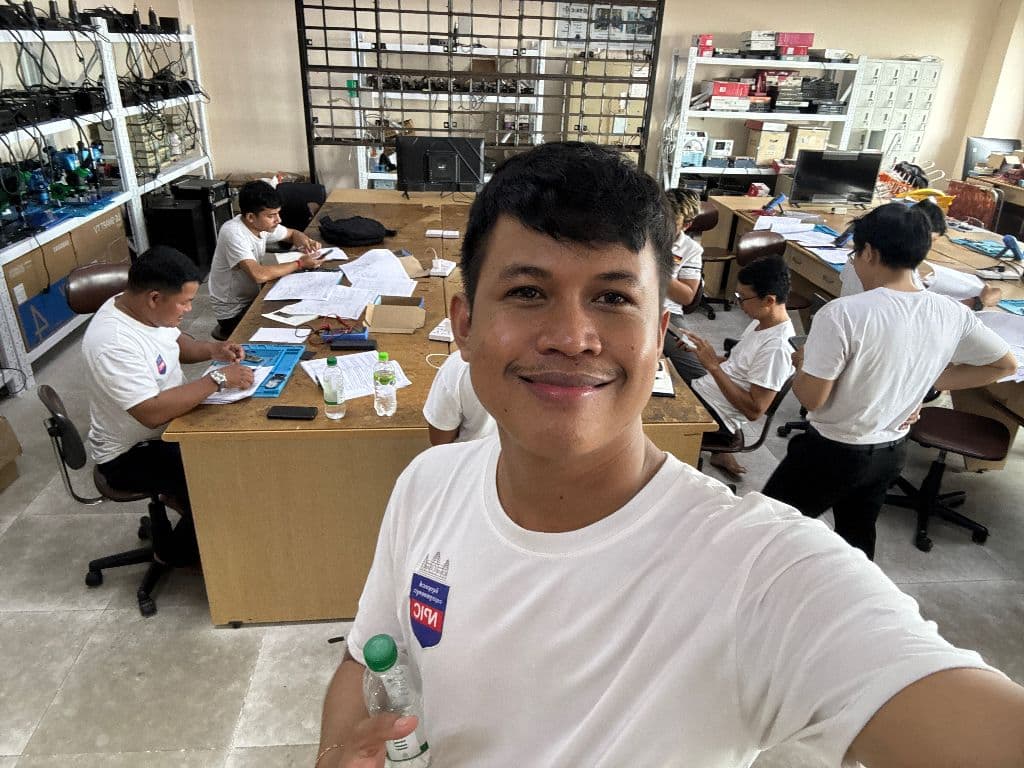
សកម្មភាពខ្លះៗក្នុងថ្នាក់រៀន និង រៀបចំឧបករណ៍
Chapter 1 · Overview
You will learn
- How smartphones work
- How to identify common faults
- How to replace damaged parts
- How to troubleshoot software
- How to use repair tools safely
- How to test completed repairs
Chapter 2 · What is phone repair?
What is mobile phone repair?
Mobile phone repair is the process of inspecting, diagnosing, maintaining and restoring smartphones. A technician must understand both the physical components inside a device and the software that controls them.
Hardware repair
Opening devices, replacing damaged parts and repairing physical connections.
Software troubleshooting
Solving operating-system, update, backup, reset and application problems.
Diagnostics & testing
Using symptoms and measurements to find the real cause of a fault.
Maintenance
Cleaning, protecting and checking devices to prevent future failures.
Chapter 3 · Why we learn it
Why do we learn phone repair?
Smartphones are essential tools for communication, study and work. Learning to repair them creates useful technical skills and meaningful opportunities.
- 01Understand modern smartphone technology
- 02Develop practical technical skills
- 03Build logical problem-solving habits
- 04Prepare for repair-technician jobs
- 05Create the option to start a small business
- 06Reduce electronic waste by repairing instead of replacing
Chapter 4 · Study program
Study program
I started this program 3 months ago. Each subject combines explanation, demonstration and hands-on practice. Below are the modules I have studied so far — the rest are coming soon.
Soldering & tools
StudiedThe foundation of electronics repair: how to make clean, strong solder joints and how to use and care for soldering tools.
What I learned
- Preparing and tinning the soldering iron tip
- Heating the joint and applying solder correctly
- Recognising good and bad solder joints
- Desoldering with solder wick and a solder pump
- Using flux and cleaning the board afterwards
Tools we use
Measuring instruments
StudiedLearning to use electrical and electronic equipment to measure voltage, current and electronic component values accurately and safely.
What I learned
- Measuring DC and AC voltage
- Measuring current in a circuit
- Measuring resistance and checking continuity
- Testing components: resistors, capacitors and diodes
- Safety & good practice: choosing the right range, correct probe placement, never measuring resistance on a powered circuit
Tools we use
Hardware repair
StudiedBoard-level work on phone motherboards: removing and replacing small electronic components using soldering, hot-air rework and a microscope.
What I learned
- Removing and replacing resistors, capacitors and other SMD parts
- Hot-air rework: temperature, airflow and nozzle choice
- Soldering tiny components on the phone board
- Working under a microscope for precise inspection
- Protecting nearby parts and cleaning the board
Tools we use
Phone components
StudiedUnderstanding what is inside a phone: how the motherboard is laid out, what each IC does, how signals and power flow through the circuit, and how to read a real service schematic.
What I learned
- Structure of the phone board: main areas and component placement
- The function of each IC: CPU, memory (flash), power management, RF and audio
- How electronic signals are processed from input to output
- The battery: voltage, charging circuit and how power reaches the board
- Reading schematics and board layouts (e.g. Nokia 8250 service manual)
Tools we use
Diagnostics
Studying nowIdentify hardware and software problems through inspection and testing.
Testing & complete repairs
Studying nowVerify the repair and confirm that every component works correctly.
Software
Coming soonTroubleshoot updates, backups, resets and operating-system problems.
Chapter 5 · Smartphone parts
Main parts of a smartphone
A successful repair begins by understanding how the main components connect and work together.
Display
Battery
Camera
Speaker
Charging port
Motherboard
CPU
Storage
Chapter 6 · Tools we use
Tools we use
Professional tools help technicians work precisely, safely and efficiently.
Chapter 7 · Repair process
Basic repair process
A consistent process prevents mistakes and produces reliable results.
- 1Receive the broken phone
- 2Inspect its condition
- 3Diagnose the fault
- 4Identify the cause
- 5Repair or replace
- 6Test every function
- 7Complete final inspection
- 8Return a working phone
Chapter 8 · Safety & practice
Safety & good practice
Repair work must protect the technician, the device and the customer.
Before starting a repair
- Disconnect the battery before hardware work
- Use ESD protection
- Organize screws and components
- Protect customer data
- Use appropriate soldering temperatures
- Test before and after repair
Chapter 9 · Skills & careers
Skills & future opportunities
Skills you gain and the jobs they can lead to.
After completing the program
- Understand smartphone components
- Diagnose common phone problems
- Replace damaged components
- Use professional repair tools
- Perform basic soldering
- Troubleshoot software problems
- Test and inspect repaired devices
Career paths
- Phone Repair Technician
- Electronics Technician
- Repair Shop Assistant
- Independent Technician
- Small Repair Business Owner
From broken to working
Learn. Diagnose. Repair. Test.
Build the knowledge and practical confidence to give technology a second life.