Dub any drama into Khmer, with AI.
Khmer Dubber recognizes the dialogue, translates it into Khmer and gives every character their own natural Khmer voice, then exports an MP4 with Khmer audio and subtitles.
- Windows 10 / 11
- Chinese, Korean, Thai → ខ្មែរ
- 376 MB download

What's new in v0.1.3rc2
Trim, re-recognize, quality check and an offline Khmer voice
Thank you for your valuable feedback. We will incorporate some of your suggestions into the next version.
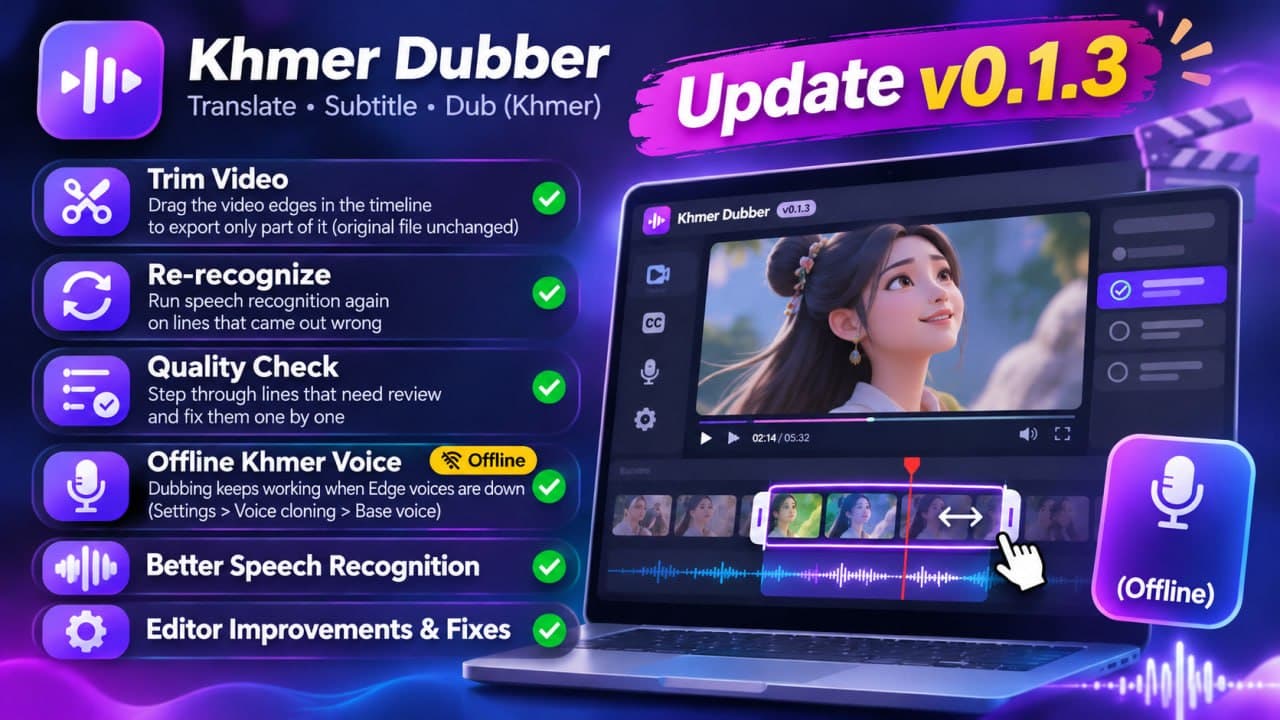
Trim video
Drag the video edges in the timeline to export only part of it. Your original file is not changed.
Re-recognize
Run speech recognition again on lines that came out wrong.
Quality check
Step through the lines that need review and fix them one by one.
Offline Khmer voice
Dubbing keeps working when Edge voices are down. Turn it on in Settings > Voice cloning > Base voice.
Better speech recognition
More accurate timed text from the original dialogue.
Editor improvements & fixes
A smoother editor and many small bug fixes.
How it works
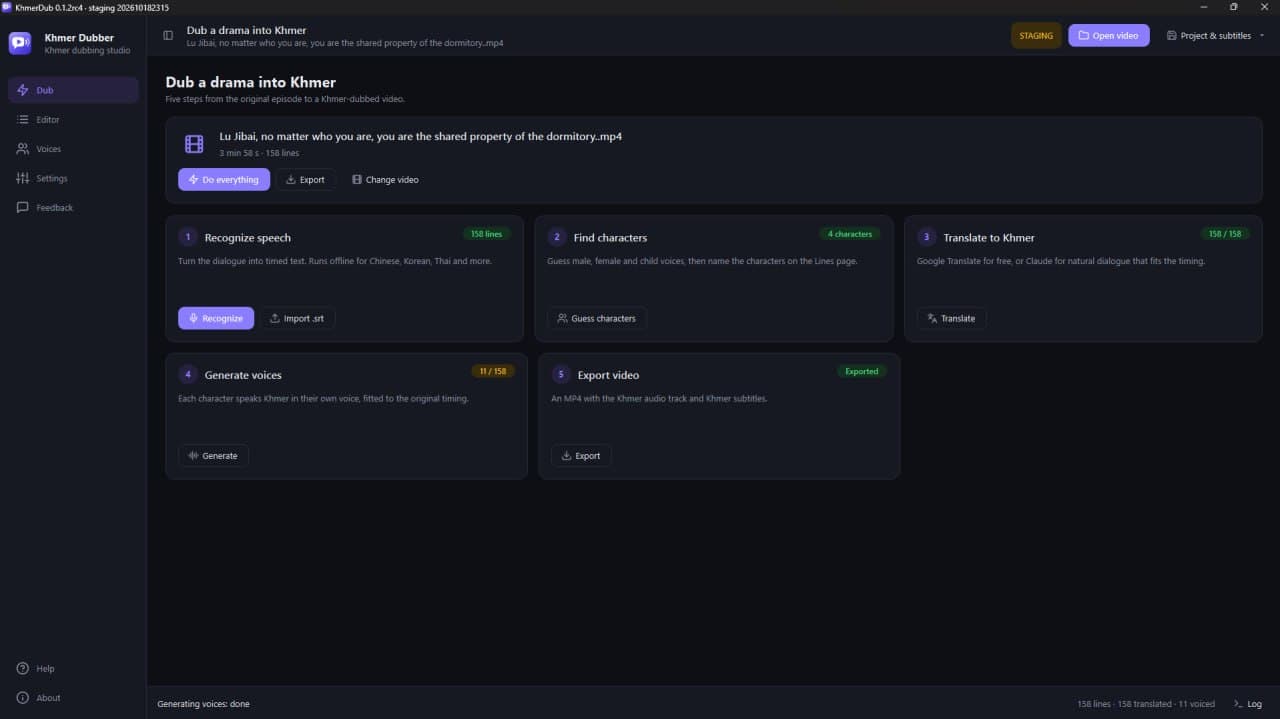
Five steps from the original episode to a Khmer-dubbed video
Run each step yourself, or press Do everything and let Khmer Dubber handle the whole episode.
- 01
Recognize speech
Turn the dialogue into timed text. Runs offline for Chinese, Korean, Thai and more, or import an .srt file.
- 02
Find characters
Guess male, female and child voices, then name the characters on the Lines page.
- 03
Translate to Khmer
Google Translate for free, or Claude for natural dialogue that fits the timing.
- 04
Generate voices
Each character speaks Khmer in their own voice, fitted to the original timing.
- 05
Export video
An MP4 with the Khmer audio track and Khmer subtitles.
Features
Everything you need to dub into Khmer
Made for creators who bring Chinese, Korean and Thai dramas to a Khmer audience.
Video dubbing
Replace the original dialogue with a Khmer voice track that follows the original timing.
Subtitle translation
Translate subtitles into Khmer and burn them into the exported video.
Text to speech
Turn every translated line into spoken Khmer automatically.
Natural Khmer voices
A different voice for each character: male, female and child.
Works offline
Speech recognition and the base Khmer voice run on your PC, with no internet needed.
Do everything in one click
Recognize, translate, voice and export a whole episode in one go, then fine-tune any line in the editor.
Installation
Up and running in minutes
- 1
Download
Download the latest
.zipabove, or pick a specific build from the Versions tab. - 2
Unzip
Extract the zip to a folder on your PC, for example on your Desktop or in
D:\KhmerDub. - 3
Launch
Open the folder and run KhmerDub. If Windows SmartScreen appears, choose More info → Run anyway.
- 4
Dub your first video
Click Open video, then Do everything. New to the app? Watch the video tutorial.
FAQ
Frequently asked questions
What is Khmer Dubber?
Which languages can it dub from?
Do I need an internet connection?
Does trimming change my original video?
What does “staging” mean?
Where can I get help or send feedback?
Ready to try Khmer Dubber v0.1.3rc2?
Free to try on Windows 10 and 11. Questions or ideas? We are on Telegram.